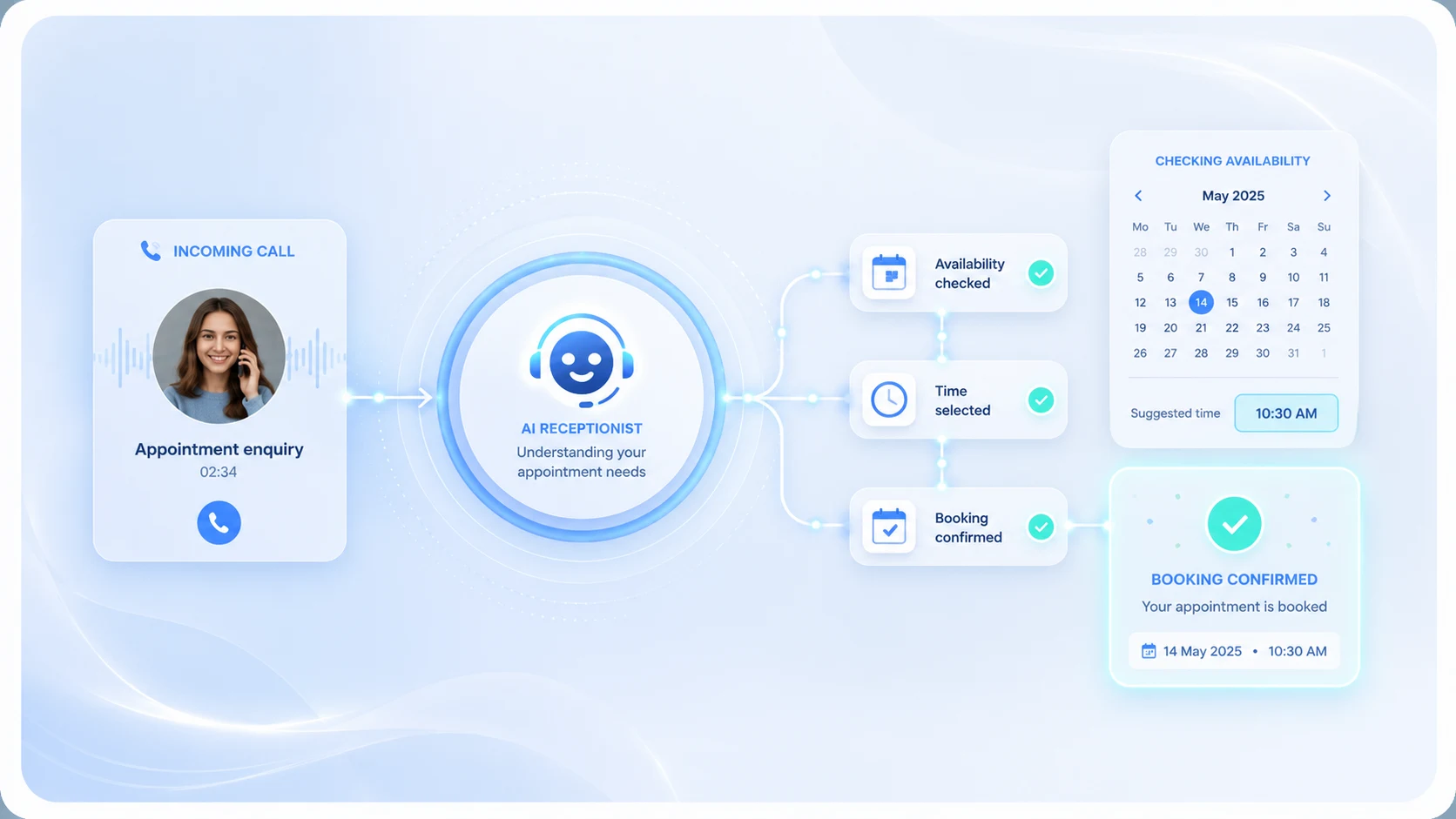
APPOINTMENT ENQUIRY DEMO

See appointment enquiries in action

Press play to hear how the receptionist collects appointment interest, preferred times and caller details for the team to confirm.

  • Captures the service or appointment requested
  • Records preferred dates, times and notes
  • Sends the request for the team to confirm

No commitments. Cancel anytime.

Designed for quick mobile setup when you need cover fast.

Book Appointments flow showing booking, cancellation and appointment updates

CALL FLOW

Book and cancel appointments without tying up your team

The receptionist captures the caller’s request, checks the appointment details, processes bookings or cancellations, and confirms the outcome clearly.

New bookings Appointment changes Cancellations Calendar and email updates

SETUP WALKTHROUGH

Book Appointments setup guide

Follow the screenshots to choose Book Appointments, add your business facts, set your services, preview the speech and activate your receptionist.

Choose appointment cover Add business facts Add appointment types Preview the greeting

CALLER EXPERIENCE

What appointment callers hear

The caller can ask for an appointment or availability without being told the booking is confirmed before your team checks it.

1

Caller asks to book

The receptionist answers with your approved greeting and recognises an appointment request.

2

Service is checked

It asks what service, appointment type or enquiry the caller needs.

3

Preferences captured

It collects name, number, preferred date or time, location if needed and useful notes.

4

Team confirms later

The caller is told the team will confirm availability through your normal process.

WHAT IT COLLECTS

Appointment requests without overpromising

It captures the details your team needs to check availability and follow up. It should not claim the appointment is confirmed unless your configured workflow supports that.

Preferred times

Captures preferred dates, times or windows such as Friday morning or next available.

Service required

Asks what service the caller wants, such as a mobile valet, consultation, treatment or repair.

Follow-up details

Collects name, phone number, location if needed and notes for the team to confirm.

EXAMPLE OUTCOME

Example appointment request

The summary is framed as a request for the team to confirm, not a guaranteed calendar booking.

CallerDavid Smith
Service requiredPremium clean
Preferred dateFriday morning
LocationCustomer address or service area if needed
Next stepTeam to confirm availability

GOOD FOR

Good for appointment-led businesses

Use it when callers want appointments, availability, bookings or service slots while your team is busy.

Mobile services

Capture valet, repair or home-visit preferences while staff are on jobs.

Clinics and salons

Collect appointment interest for the team to confirm later.

Consultations

Capture preferred times and notes before a call-back.

Service slots

Record the requested service and time window without promising a confirmed booking.

Important notes

Not for emergency calls or urgent high-risk situations. Includes £10 call credit, typically enough for around 80 minutes of AI receptionist call time, depending on call length and network/provider charges. Notifications depend on correct contact details and third-party email, SMS and network providers. See Terms, Usage & Refunds.

FAQ

Common questions

Does it finalise appointments?

It captures appointment requests and preferred times. It should not be treated as confirmed unless your setup explicitly supports confirmed calendar booking.

Can it ask what service the caller needs?

Yes. You can configure service options so the receptionist asks what the caller wants to book.

Can it handle next available?

It can capture next available or preferred time wording and pass the request to the team for confirmation.

When do I get the temporary number?

The temporary receptionist number is provided after payment and activation.

What happens after 24 hours?

1 Day Cover runs for 24 hours from activation. Calls should stop being forwarded when cover ends unless you reactivate.

Can I reactivate later?

Yes. Setup can be saved for 12 months so future reactivation is quicker.

Are SMS/email notifications guaranteed?

No. Summaries are sent to your chosen contacts, but delivery depends on correct details and third-party providers.

Need appointment enquiry cover today?

Set up the questions once, activate cover, then receive clear appointment requests for follow-up.

Answer the essentials from your phone, then refine the wording before going live.

From £50 per day 24-hour cover from activation Fair usage applies